Adfin uses OAuth 2.0 for secure authentication and authorisation. Before you can make requests to the Adfin API, you must get an access token.
Your Adfin Integration Manager will share encrypted app credentials containing your client_id and client_secret.
- Client credentials flow (for platform-to-platform communication)
- Authorization code flow (for biller authorisation on behalf of your platform)
You must supply your client_id and client_secret either in the HTTP Basic Auth header or as form parameters. If you include them in both places, they must match exactly.
The authorization header string is Basic Base64Encode(client_id:client_secret).
For example, for client ID xyz123clientid and client secret secret987654321, first Base64-encode the string:
xyz123clientid:secret987654321
→ eHl6MTIzY2xpZW50aWQ6c2VjcmV0OTg3NjU0MzIx
Then your header becomes:
Authorization: Basic eHl6MTIzY2xpZW50aWQ6c2VjcmV0OTg3NjU0MzIxcurl -X POST "https://api.staging.adfin.com/api/oauth2/token" \
-H "Authorization: Basic $(echo -n 'YOUR_ID:YOUR_SECRET' | base64)" \
-H "Content-Type: application/x-www-form-urlencoded" \
-d 'grant_type=client_credentials'Use this flow when your platform must access Adfin resources directly.
curl -X POST "https://api.staging.adfin.com/api/oauth2/token" \
-H "Content-Type: application/x-www-form-urlencoded" \
-d 'grant_type=client_credentials&client_id={your_client_id}&client_secret={your_client_secret}'Body:
- Set
grant_typetoclient_credentials. - Replace
{your_client_id}and{your_client_secret}with your credentials.
If the request is successful, Adfin responds with an access token:
{
  "access_token": "your_access_token",
  "token_type": "Bearer",
  "expires_in": 3600
}This flow allows your platform to request an access token after receiving an authorization code from a biller's login session.
The biller is prompted to log in to their account.
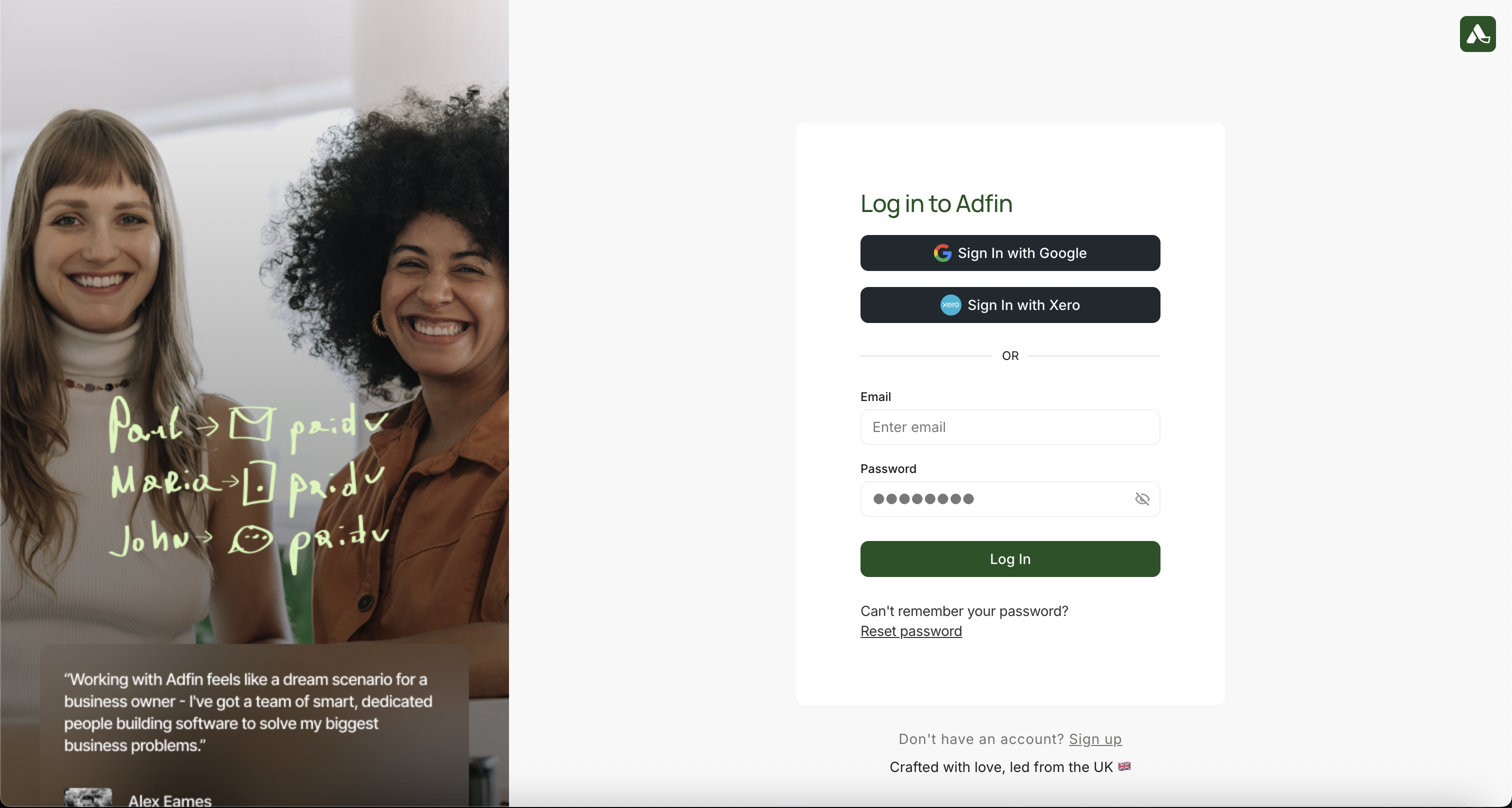
Use the hosts for the environment your credentials belong to. The biller login runs on the Adfin Console. Every other call goes to the API.
| Step | Staging | Production |
|---|---|---|
| Biller login and consent | https://staging.adfin.com/auth/login | https://console.adfin.com/auth/login |
| Token and refresh | https://api.staging.adfin.com/api/oauth2/token | https://api.adfin.com/api/oauth2/token |
| Revoke | https://api.staging.adfin.com/api/oauth2/revoke | https://api.adfin.com/api/oauth2/revoke |
| API calls | https://api.staging.adfin.com/api | https://api.adfin.com/api |
Redirect the biller to Adfin's authorisation page. Construct your unique authorisation URL:
Staging:
https://staging.adfin.com/auth/login?&client_id={your_client_id}&scope=invoices%20customers&redirect_uri={your_redirect_uri}&state={random_state_value}Production:
https://console.adfin.com/auth/login?&client_id={your_client_id}&scope=invoices%20customers&redirect_uri={your_redirect_uri}&state={random_state_value}Use exactly the login addresses above. Adfin's login page builds its return address from the address it is opened on. If you open it on a different address, such as app.adfin.com, the result is a "Callback URL mismatch" error, even when your redirect_uri is correct. If your redirect_uri is not registered, the biller sees "Invalid redirect URI." when they approve access.
Properties required for the OAuth redirect:
| URI property | Description |
|---|---|
client_id | The client_id of your platform, as provisioned by Adfin |
redirect_uri | The address Adfin sends the biller to after they grant permission |
scope | Use the scopes invoices and customers |
state | Required. A random value you generate and check on the callback. Without it, a biller who is already signed in to Adfin goes to their dashboard instead of the consent screen |
After the biller logs in and approves the authorisation, Adfin redirects them to the redirect_uri from Step 1. Adfin appends a code to the query string, for example:
https://your-platform.com/callback?code=[your_authorization_code]&state=random_state_valueUse this request to exchange the authorization code for an access token and a refresh token.
You can use header authentication or form parameter authentication, as described in Authentication in Adfin.
curl -X POST "https://api.staging.adfin.com/api/oauth2/token" \
-H "Content-Type: application/x-www-form-urlencoded" \
-d 'grant_type=authorization_code&client_id={your_client_id}&client_secret={your_client_secret}&code={authorization_code}&redirect_uri={your_redirect_uri}'{
"access_token": "your_access_token",
"refresh_token": "your_refresh_token",
"expires_in": 3600,
"token_type": "Bearer"
}| Request data | Description |
|---|---|
grant_type | Set to authorization_code in this step |
client_id | The credentials of your Adfin app |
client_secret | The credentials of your Adfin app |
code | The authorization code from step 2 |
redirect_uri | Must be the same URI used in the initial request |
| Response data | Description |
|---|---|
access_token | The access token for the biller |
refresh_token | The refresh token for the biller's account |
expires_in | How long the access token is valid for, in seconds |
token_type | Always Bearer |
You can now use the access_token to make authorised requests on behalf of the biller, for example to create customers.
Use the refresh token to get a new access token when the current access token expires. This keeps the session active, so the biller does not have to log in again.
Our integration uses OAuth 2.0 with refresh token rotation. This means:
- You must use each newly issued refresh token from then on.
- Discard old refresh tokens immediately.
- Concurrent requests must not reuse or fall back to expired tokens.
- If you send a refresh token that was already used, Adfin can revoke every refresh token on that connection. The biller must then authorise again.
Use refresh tokens to get new access tokens and new refresh tokens.
curl -X POST "https://api.staging.adfin.com/api/oauth2/token" \
-H "Content-Type: application/x-www-form-urlencoded" \
-d 'grant_type=refresh_token&client_id={your_client_id}&client_secret={your_client_secret}&refresh_token={your_refresh_token}'{
"access_token": "new_access_token",
"refresh_token": "new_refresh_token",
"expires_in": 3600,
"token_type": "Bearer"
}| Request data | Description |
|---|---|
grant_type | Set to refresh_token |
client_id | Your platform's client_id |
client_secret | Your platform's client_secret |
refresh_token | The refresh token you received during the last token exchange |
| Response data | Description |
|---|---|
access_token | The access token for the biller |
refresh_token | The new refresh token for the biller's account |
expires_in | How long the access token is valid for, in seconds |
token_type | Always Bearer |
- access_token: Expires after 1 hour.
- refresh_token: Expires if it is not used for 5 days. Every refresh returns a new refresh token with a new 5-day window. A connection can stay active for up to 1 year from when the biller authorised it. After 1 year, the biller must authorise again.
- 401 Unauthorized (
INVALID_REFRESH_TOKEN): The refresh token has expired, has been revoked or is not valid. Ask the biller to authorise again with the authorization code flow. - 400 Bad Request: The request format is incorrect, or a required parameter is missing.
- Token rotation: When the response contains a new refresh token, replace the old one in your system.
- Scheduled refresh: Refresh each connection at least once a day, even when there is no activity for that biller. This makes sure that a refresh token is never unused for 5 days.
- Token storage: Store refresh tokens securely, for example encrypted, to protect them from theft.
- Expiry handling: When an access token expires, use the refresh token to get a new one. This prevents login interruptions for the biller.