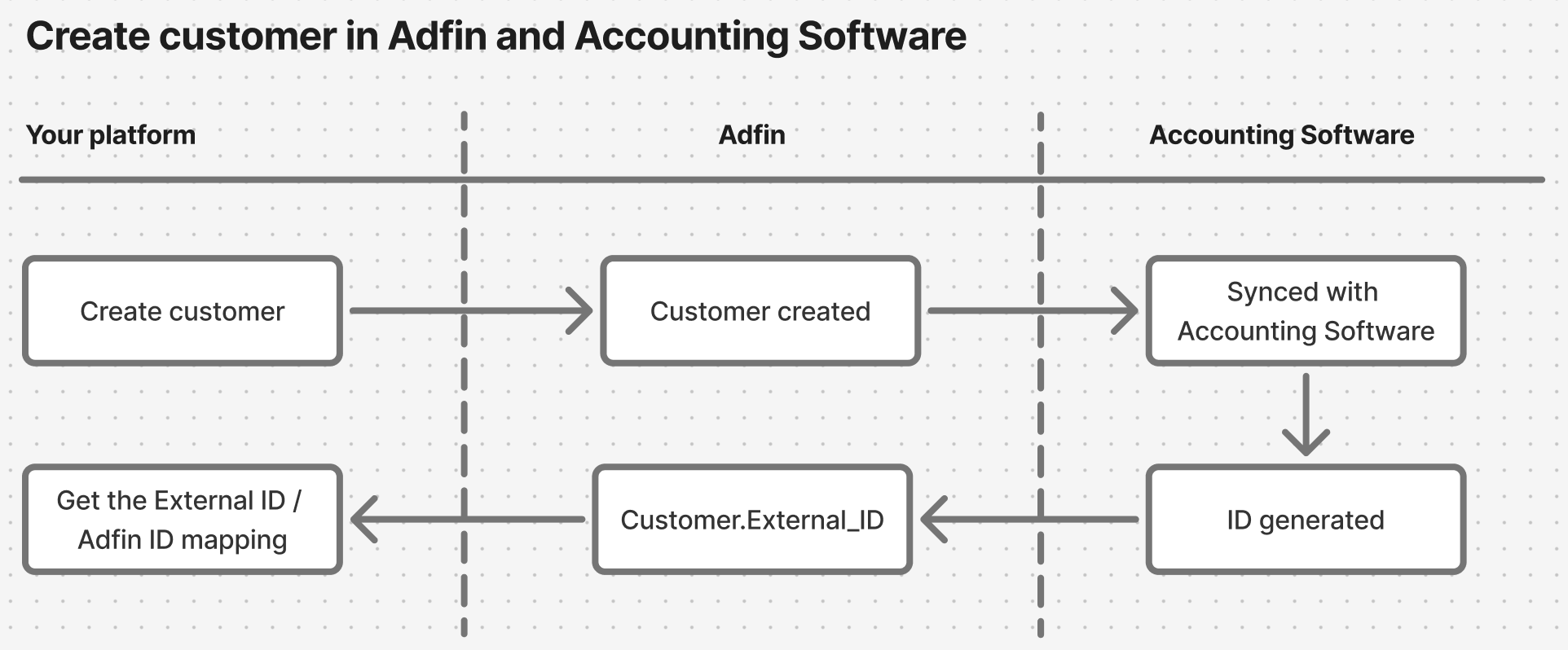
The user must have connected their Accounting Software with Adfin to enable this flow.
This is completed in their Adfin Console
Creating a customer in Adfin will automatically try and create it in the connected Accounting Software.
When Adfin completes this operation, it will return Customer.externalData after a successful request.
"externalData": [
  {
    "connectorType": "XERO",
    "id": "885f4605-7070-46ed-984a-6fb5dc47361b",
    "name": "John Smith"
  }
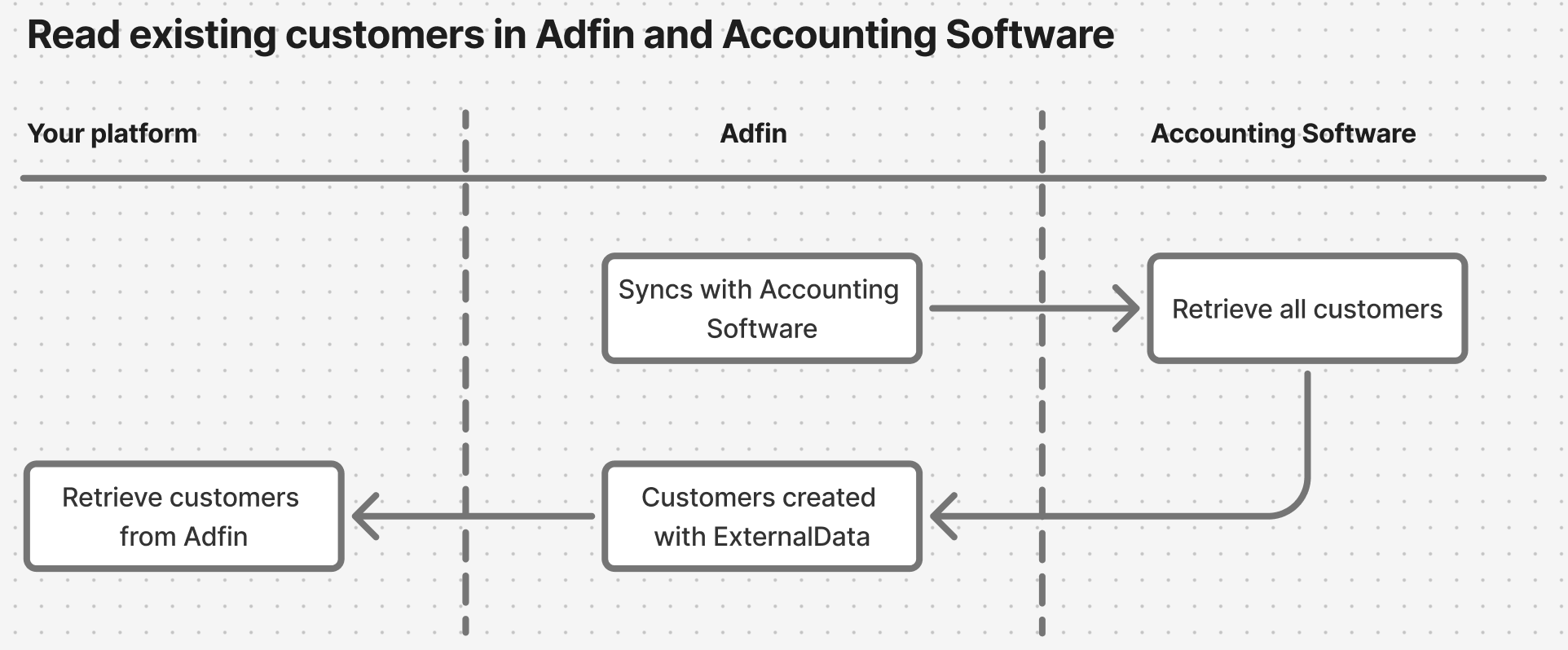
If you are connecting to an Adfin and are expecting existing data (eg. customers already imported from Xero or Buickbooks), it is important to make sure you read all of the existing data.
This is to prevent data mapping issues where you create a new customer, when one already existing. It is recommended to retreive all data via a GET API call.
Adfin will return populated Customer.externalData when a customer is synched with an Accounting software.
"externalData": [
  {
    "connectorType": "XERO",
    "id": "885f4605-7070-46ed-984a-6fb5dc47361b",
    "name": "John Smith"
  }
Adfin has read and write access to accounting systems as part of our integrations.
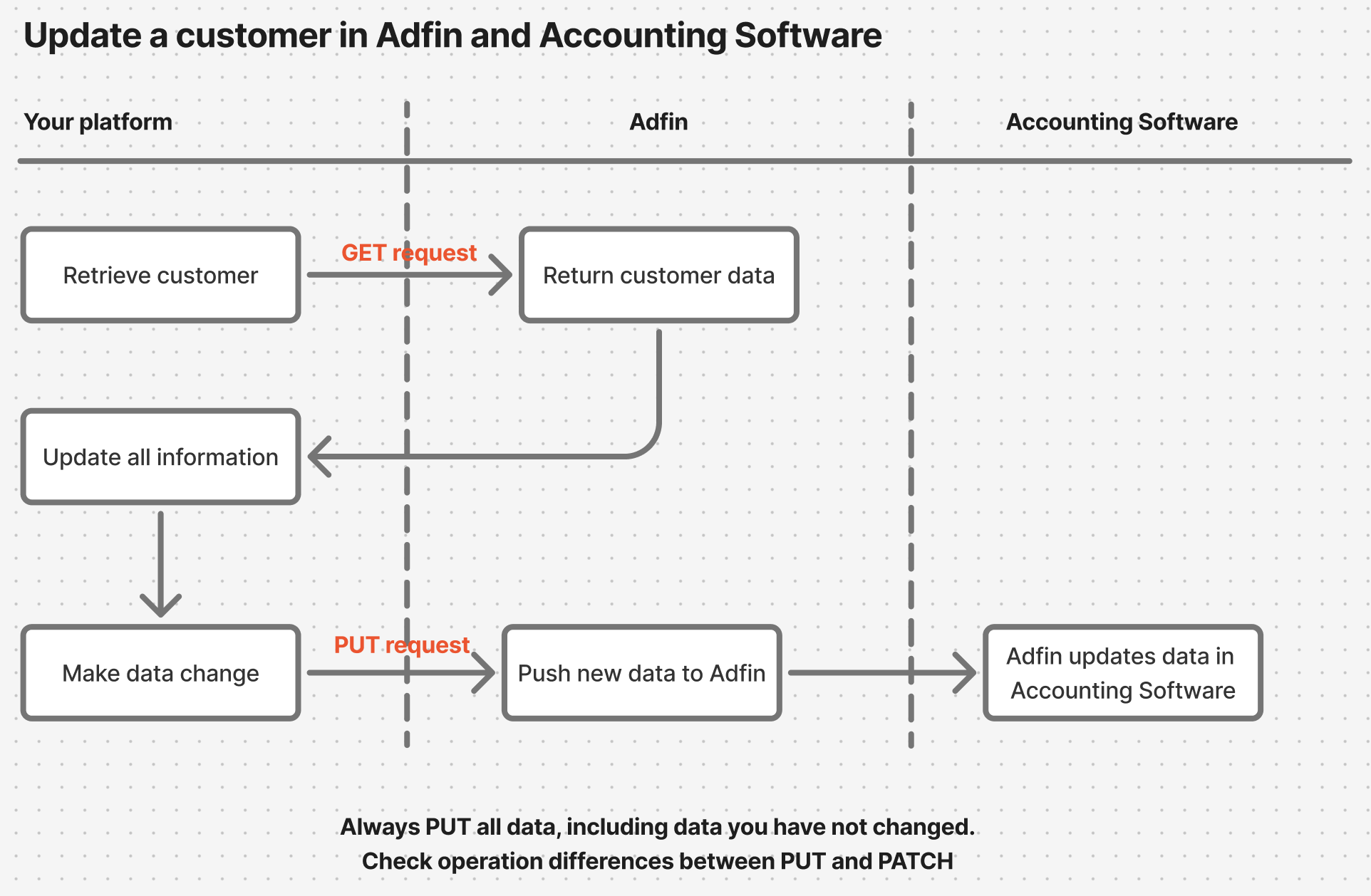
When updating customer information from your platform, you must always remember the following:
- If a customer is linked to Accounting Software, updates to the customer will cascade through Adfin and the Accounting Software.
- Adfin does not currently support PATCH requests, meaning that your PUT request must contain all the information.