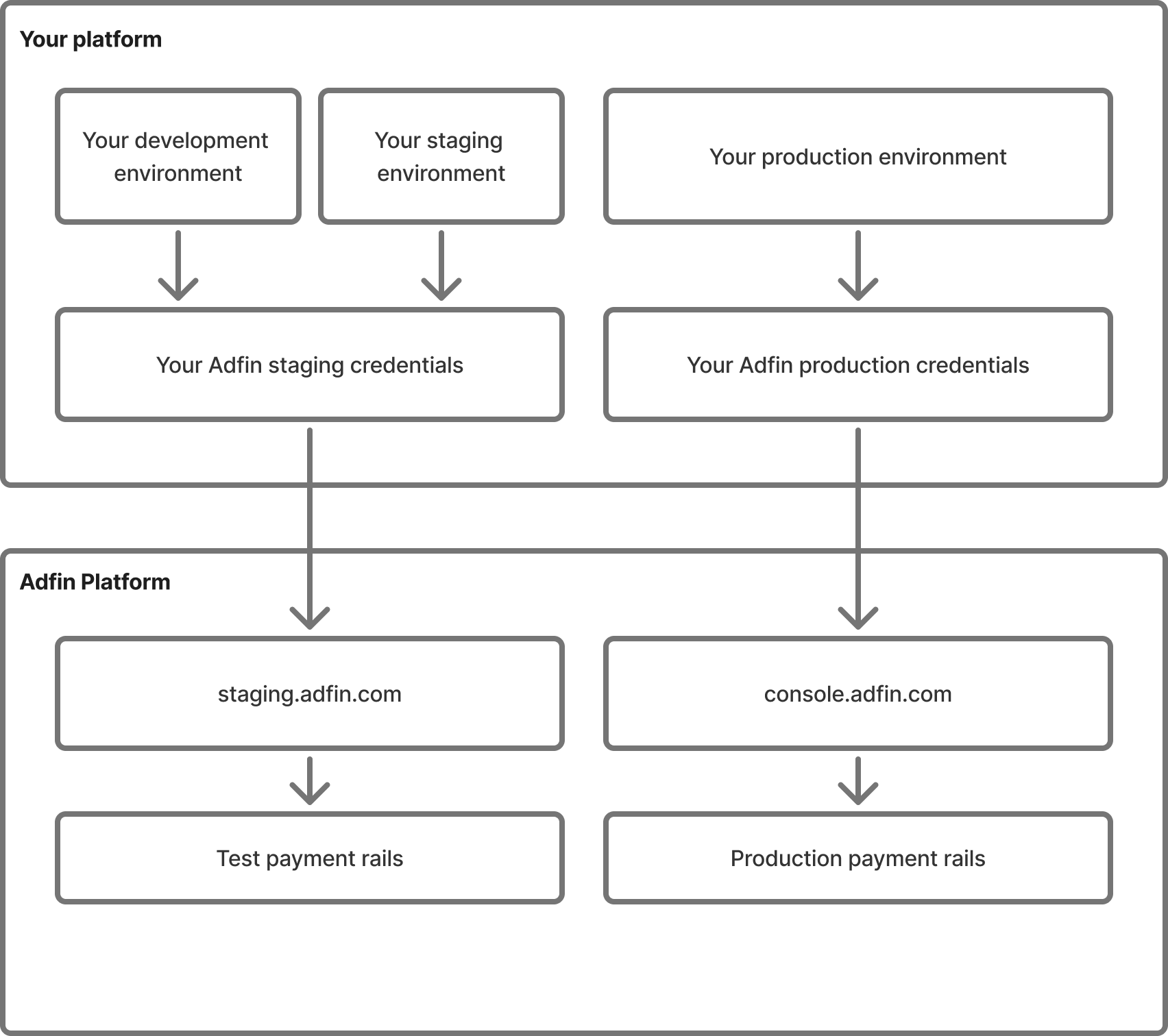
Adfin provides two isolated environments to develop, test, and run your “money in” integration:
| Environment | API Base URL | Console URL |
|---|---|---|
| Staging | https://staging.adfin.com | |
| Production | https://console.adfin.com |
- OAuth 2.0 (Auth Code Grant) in both environments.
- Client ID / Secret are environment-specific.
- Staging credentials only work against the staging hosts:
api.staging.adfin.comfor API calls andstaging.adfin.comfor biller login. - Production credentials only work against the production hosts:
api.adfin.comfor API calls andconsole.adfin.comfor biller login. - Remember to store each set in a separate environment variable (never mix).
Instead of running Adfin locally on localhost, you can use ngrok to expose your development server to the internet with a secure, public URL.
This is our recommended approach to LocalHost and can be found on their website here: https://ngrok.com/
This is especially useful for testing webhooks or integrations where Adfin needs to call back to your environment. After installing ngrok, run ngrok http 3000 (or whichever port your app runs on) and it will give you a temporary HTTPS URL. You can then configure Adfin to point to this URL instead of http://localhost:3000, allowing external services to interact with your local environment.
This makes it easier to test real-world Adfin flows without deploying to staging, or if you don't have a staging environment available.